
Holiday photos don’t have to mean studio bookings, perfect timing, and a busy schedule. With an AI image generator, you can create seasonal portraits that feel warm and intentional—then iterate until you get one you actually want to share.
This guide covers practical Christmas portrait ideas, color palettes, and prompt templates you can reuse.
Why AI Christmas Portraits?
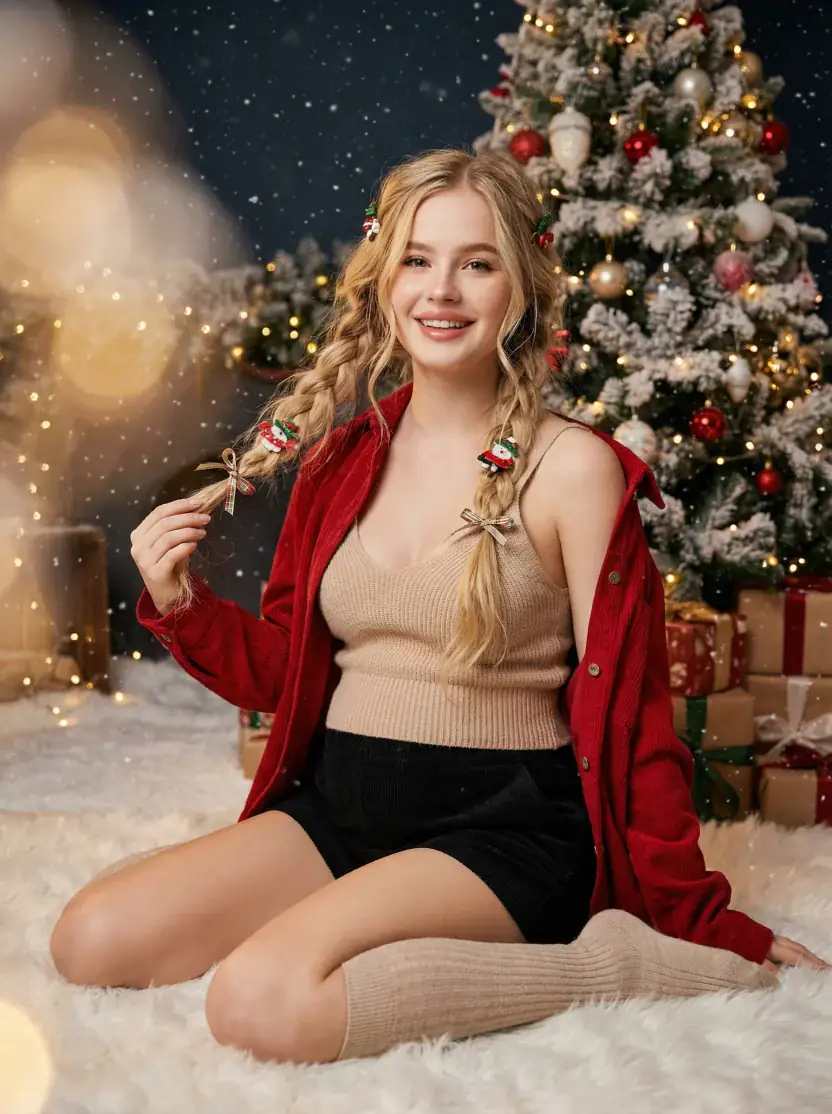
Traditional holiday shoots are great, but they come with friction:
- Studios fill up fast
- Weather isn’t cooperative
- Retouching takes time
- It’s hard to try multiple looks without multiple sessions
AI makes it easier to iterate:
- Generate variations fast
- Try multiple wardrobes and backgrounds
- Keep a consistent vibe for a full set (cards, covers, posts)
Christmas Portrait Ideas
1) Classic Christmas Tree
- Backdrop: a decorated tree, warm string lights, gift boxes
- Mood: traditional, cozy
- Wardrobe: knit sweater, cardigan, velvet dress
2) Cozy Knit at Home
- Backdrop: fireplace, frosted window, warm lamp light
- Mood: intimate, hygge
- Wardrobe: cream knits, soft neutrals, natural textures
3) Snowy Wonderland
- Backdrop: soft snow, birch trees, winter twilight
- Mood: magical, cinematic
- Wardrobe: white/cream outfit, subtle sparkle, scarf
4) Elegant Holiday Editorial
- Backdrop: minimal studio, deep red/emerald background, controlled light
- Mood: premium, magazine-like
- Wardrobe: velvet, satin, clean silhouettes
5) Fun & Playful
- Backdrop: bright ornaments, candy-cane colors, playful props
- Mood: lighthearted, social-ready
- Wardrobe: festive colors, simple patterns
Color Palettes That Work
Traditional Christmas
- Primary: deep red, forest green
- Accents: gold, cream
- Optional: burgundy, pine green
Winter Wonderland
- Primary: white, silver, ice blue
- Accents: champagne gold
- Optional: soft gray, pale gold
Modern Minimal
- Primary: cream, beige, warm white
- Accents: black, pine green
- Optional: natural wood tones
Step-by-Step: Create Christmas Portraits with 4o Image
- Open the AI Image Generator
- (Optional) Upload a reference photo for composition/lighting
- Use a Christmas prompt (templates below)
- Generate a few variations
- Refine one thing at a time: lighting, background, wardrobe, color grade
Christmas Prompt Templates
Use these as a starting point and swap the subject details:
“Christmas portrait, warm string lights, decorated tree in background, cozy living room, soft cinematic lighting, 50mm, shallow depth of field, natural skin texture”
“Elegant holiday portrait, deep red velvet outfit, minimal studio background, dramatic side light, editorial composition, subtle film grain”
“Winter portrait, gentle snowfall, birch trees, twilight blue tones, soft rim light, cozy scarf, cinematic color grading”
“Minimalist Christmas portrait, cream knitwear, warm lamp light, neutral background, soft shadows, clean composition”
Tips for Better Results
- Keep the subject simple: busy patterns and logos can look messy
- Name the lighting: “soft window light” or “warm fairy lights” helps a lot
- Be specific about the vibe: “cozy”, “editorial”, “cinematic”, “minimal”
- Generate variations first: choose composition before fine styling
Start Creating
Pick one of the palettes above, choose a prompt template, and generate a few variations. You’ll be surprised how quickly you can land on a look that feels “holiday” without feeling overdone.